Live overview
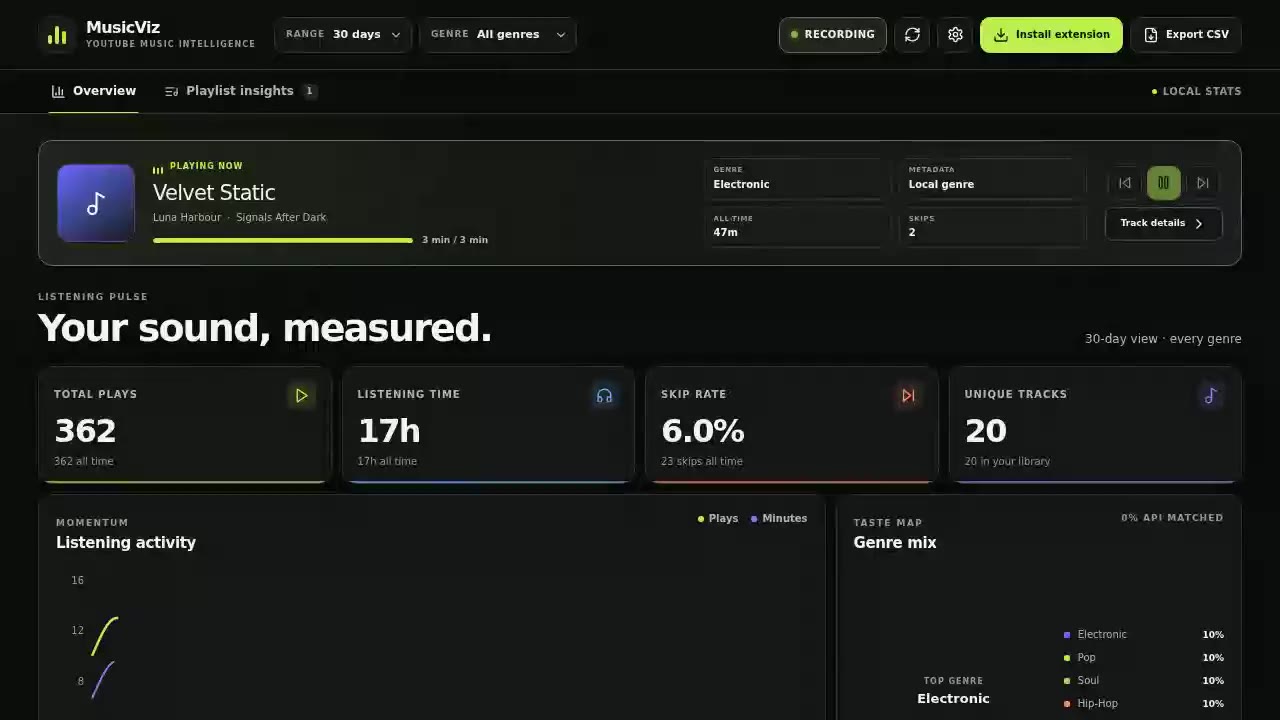
See plays, listening time, skip rate, activity, genres and top artists at a glance.
MusicViz 1.8 is available
Turn every play into useful insight. MusicViz shows your listening time, skips, playlists and track history in one live dashboard — with your analytics stored locally in your browser.
ZIP download · Chromium browsers · manual installation
Inside MusicViz
Go from a quick daily pulse to individual track sessions without giving up control of your data.
See plays, listening time, skip rate, activity, genres and top artists at a glance.
Compare familiarity, genre mix, top artists, listening time and skips per real playlist.
Filter the whole dashboard by selecting a genre in the chart or its keyboard-accessible legend.
Inspect sessions, completion and skips, then correct missing title, artist or genre metadata.
Search and order your history, export CSV, or move a validated JSON backup to another browser.
Listening analytics stay in chrome.storage.local. Optional metadata lookups send only title and artist.
See it in action
Real recordings of the MusicViz dashboard, shown with its built-in demo data.
Listening pulse
Move from live playback and key metrics to searchable listening history in one focused view.
Fast exploration
Change date ranges and genres quickly with custom controls that also work from the keyboard.
Playlist context
Understand familiarity, leading genres, top artists and listening time for every scanned playlist.
Deep detail
Open a song to review its sessions, completion, skips, metadata source and full play history.
Free · local-first · open source
Download the latest release and load MusicViz in your Chromium browser.